
Some days just click.
Ascenda Flow shows you
what was different.
See how you work with AI agents, when you’re at your best, and what gets in the way. It starts with the history already on your Mac.
Cursor · VS Code · Claude Code · Codex · local AI
Your work history, in minutes.
Claude Code, Cursor and Codex already keep a history on this Mac. Flow reads it in under a minute: your busiest hours, your longest sessions, how many agents you had going at once. No account. Nothing uploaded.
Claude Code deletes history after 30 days.
That’s its default, and you can check it on your own machine. Flow’s import keeps what’s still there.
One button to import.
Pick your tools and press it. You don’t need a terminal, scripts or an account. The import writes what it found to your disk first, where you can read it.
Then name a few days.
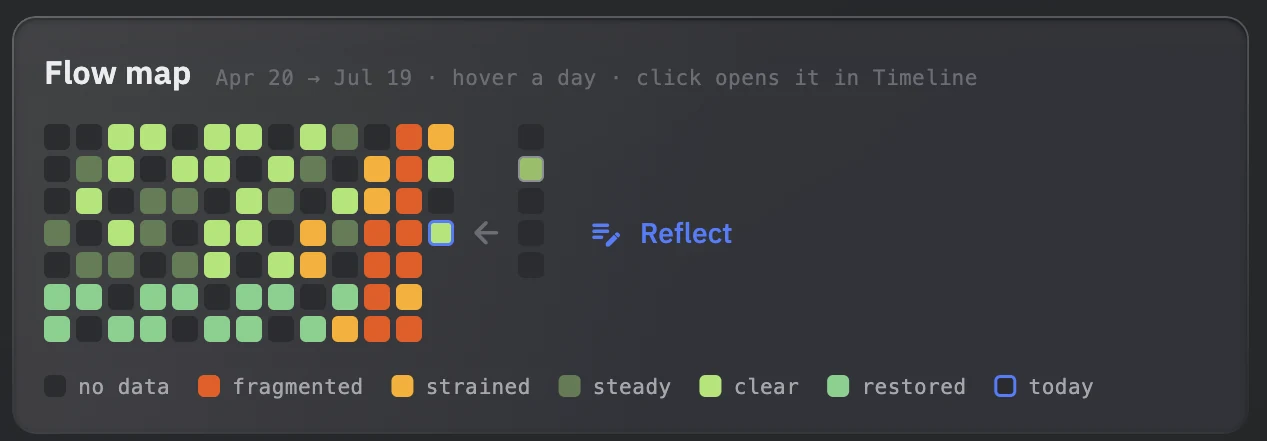
Flow asks about at most five days from the record, and you say which ones felt like flow. “I don’t remember” is always an answer.
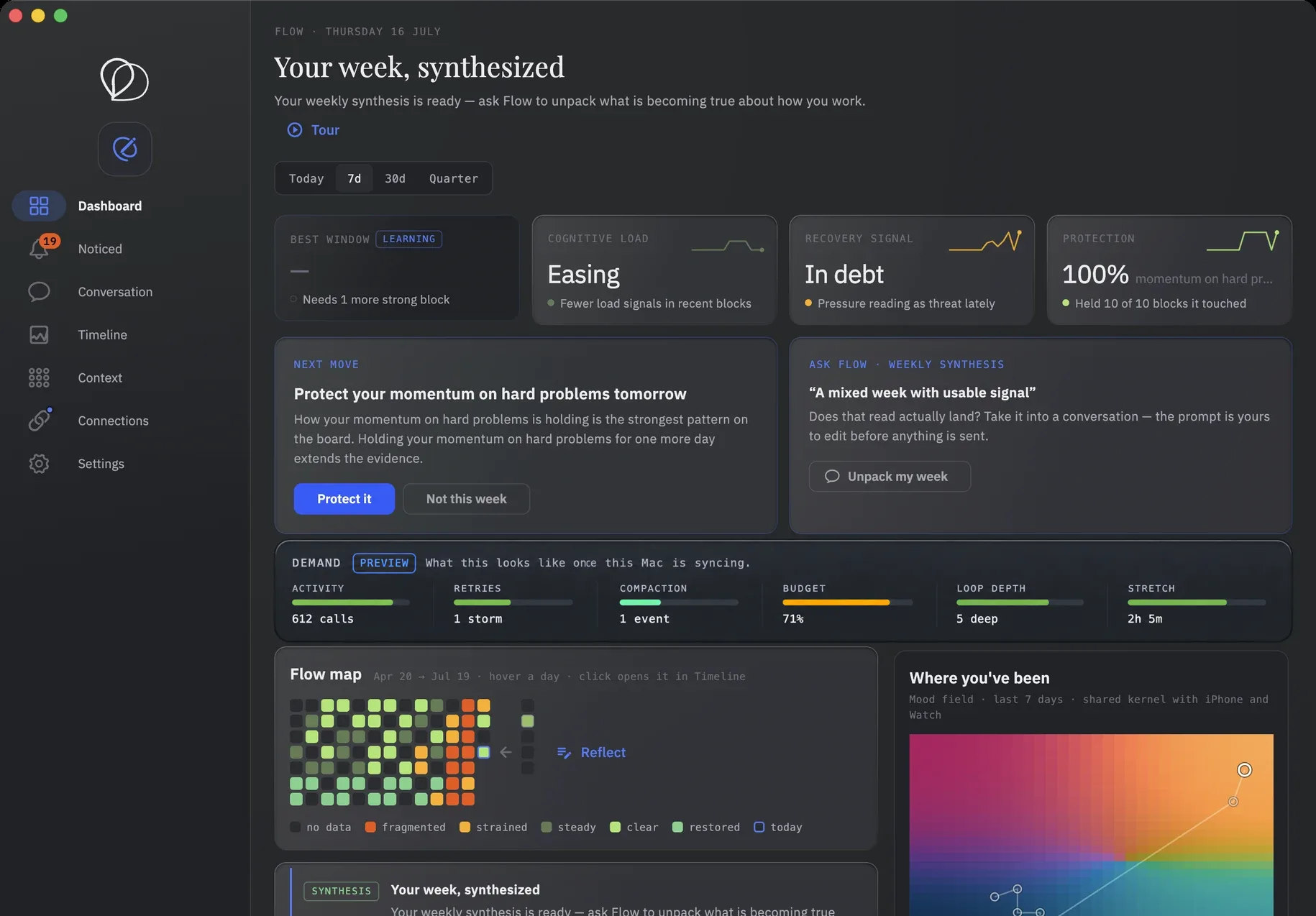
What your work history shows you.
Three examples of what Flow finds in the history already on your Mac: when sustained work happens, how agent load changes your days, and what was different on the days that went well. These are illustrative. Yours will name days you actually had.
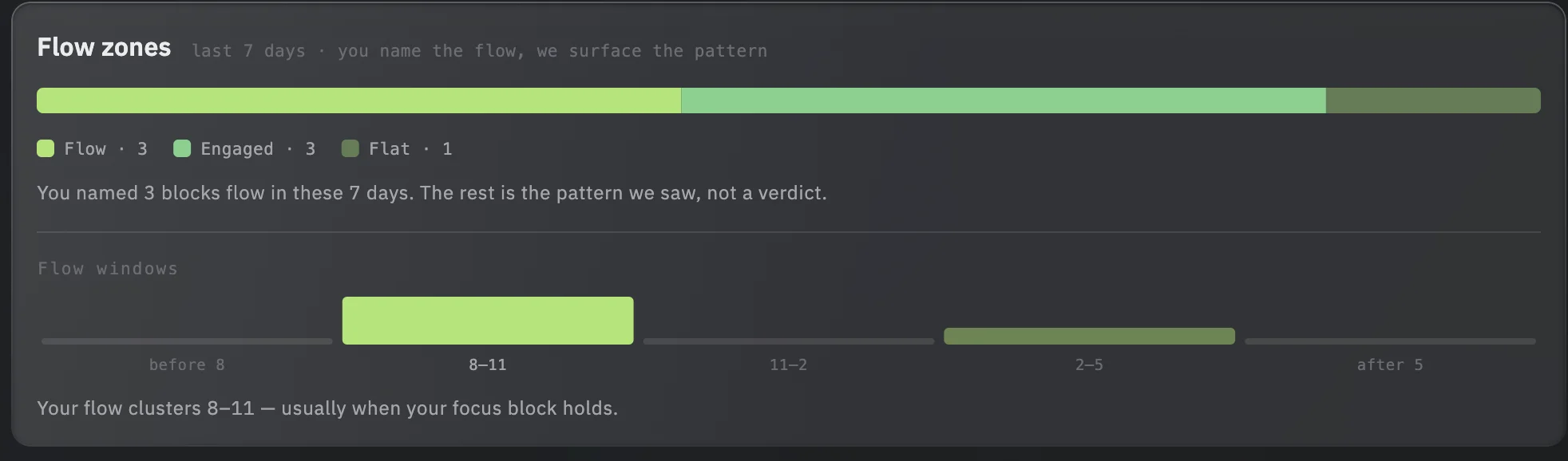
Your best work happens before 11am.
Your longest uninterrupted blocks land between 8:30 and 10:45, three days out of five. Meetings after 11 fragment what is left of the morning.
Your biggest days borrow from the morning after.
On the days you run the most agents at once, the next morning opens with three to four hours of rework before anything new starts.
Tuesday wasn't a fluke.
Your strongest days share a shape: fewer interruptions, longer AI sessions, meetings pushed past 11. Thursday had none of it.
Make one change. See if it held.
Pick one thing to change: protect the morning, batch the reviews, run fewer agents at once, stop earlier. Flow keeps recording while you work, holds the change you chose, and puts the weeks after it beside the weeks before.
Your agents are done.
Set the bell and step away. Flow tells you when the agents finish, so you stop checking whether they have.
Did you lose track of time?
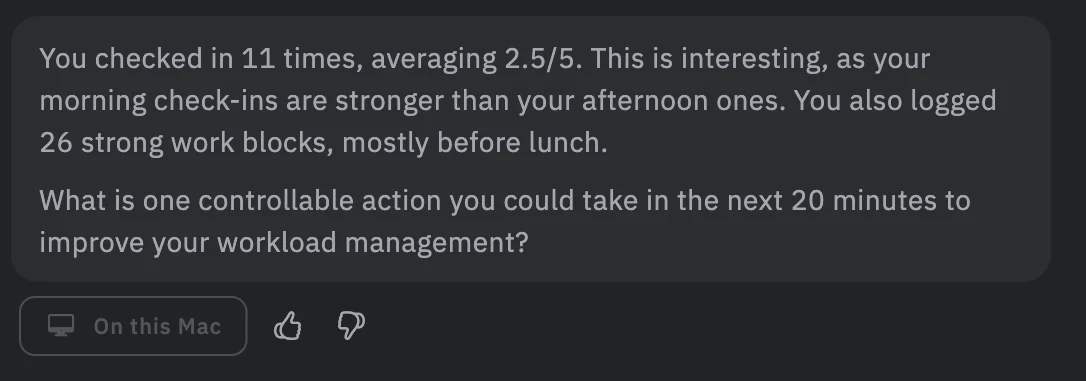
A one-tap check-in after a long run. Your answers mark which days were flow for you.
Set one constraint.
Protect the morning. Batch the calls. Stop before seven. Flow holds it, so you don’t renegotiate it mid-run.
Did it hold?
The weeks after the change sit beside the weeks before, measured against your own record.
Flow also flags a run of days that has no precedent in your record, while it's still going:
These 12 days are unlike anything in your record.
Since 14 August your days have carried about twice the demand of your middle day. Across the 180 days on record, no other 12 carry as much.
The read stays on this Mac. You can check.
The import is a local read. Nothing from that pass is uploaded. Your journal and reflections stay on this Mac unless you turn on sync. What leaves by default is operational shape: counts, timings, tool events. Never your words. Employers have no access to any individual's data, with one exception: If you're on a small team, you can choose to share one experiment result with your team's owners and admins. Nothing is shared unless you do, and you can take it back. How it works.

To check it yourself, proxy Flow's traffic and compare it against the published shape, or watch the import run and read what it wrote to your disk. Both checks are written out on the data page.
You've never felt better at work. You've never made this many decisions in a day.
The work got better, and denser. You write less by hand. You steer more. Review more. Choose more. Sometimes you run several pieces at once. The work changed faster than the instruments for understanding it.
AI is addictive. One more prompt, one more agent. But it's a different kind of load from coding in flow, and the models change how they behave every few weeks. We're all experimenting with the same things, and no one is really tracking what works.
Flow is built for the person running the agents. It measures what the work demanded: sessions, switches, agent activity. How it felt is what you tell it in a check-in.
84% OF AI-ASSISTED ENGINEERS REPORT PRODUCTIVITY GAINS. IN THE SAME SIX MONTHS, THE SHARE REPORTING A WORSE WORKING EXPERIENCE DOUBLED FROM 14% TO 27%.
Vella & Blincoe · longitudinal study
THE WORK GOT BETTER. AND DENSER. LESS TYPING BY HAND. MORE STEERING, REVIEWING, CHOOSING. SOMETIMES SEVERAL PIECES AT ONCE. NONE OF THAT SHAPE SHOWS UP IN A COMMIT LOG.
The job, as it actually runs
DEVELOPERS USING AI TOOK 19% LONGER WHILE BELIEVING THEY WERE 20% FASTER.
METR · Cursor RCT, 2025
How does your team compare?
We're studying how AI-native engineering teams work with coding agents, from concurrency and steering to review and rework. Join the founding cohort to compare your team's working patterns with similar teams.
Founders receive aggregated team results. Groups too small to hide an individual are suppressed, and there is no view of any one person.
Explore the Ascenda BenchmarkYour questions, answered directly
Read the record you already have
Point Flow at the stores your agents already wrote. No account. The complete local product stays on this Mac.